
Overview
Before IntelAGENT can submit claims on your behalf, you must designate it as your agent through the Ministry of Health’s EDT (Electronic Data Transfer) system.Step 1: Log into the MOHLTC Site
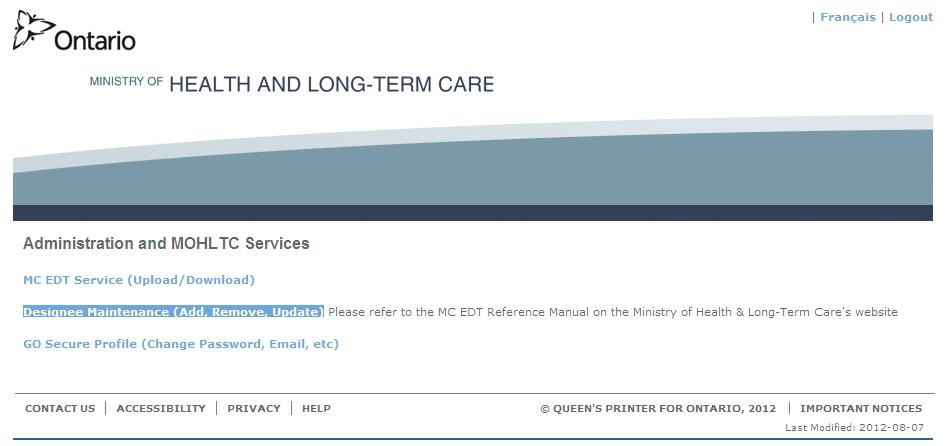
Go to the MOHLTC EDT Portal and sign in using your GO Secure account.Step 2: Access Designee Maintenance
Click the Designee Maintenance link.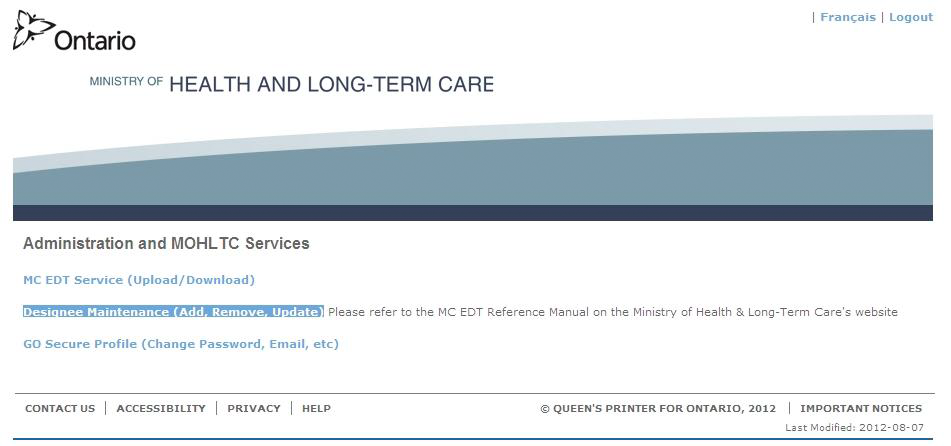
Step 3: Add Designee
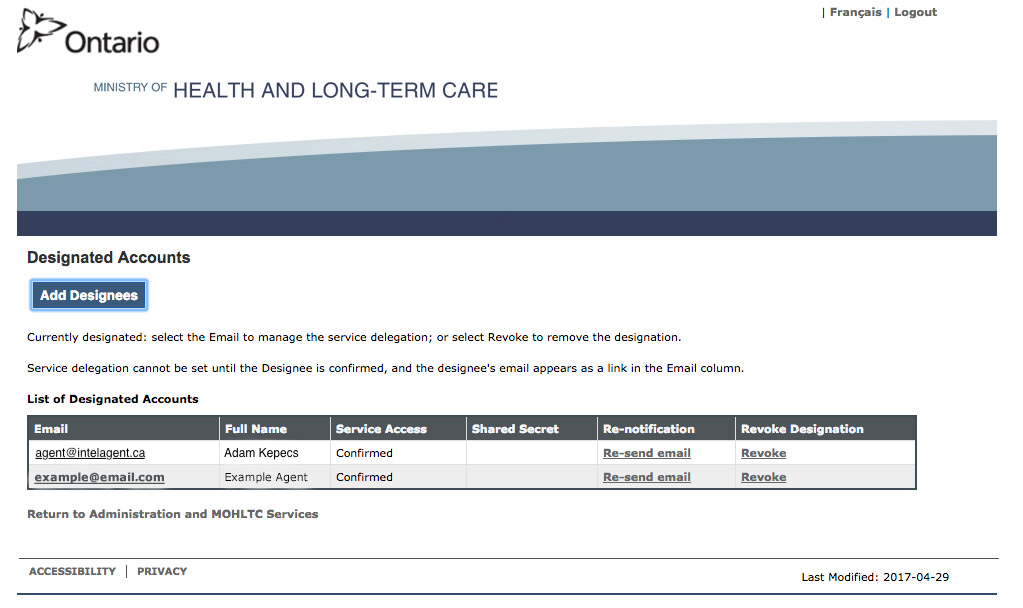
Click Add Designee.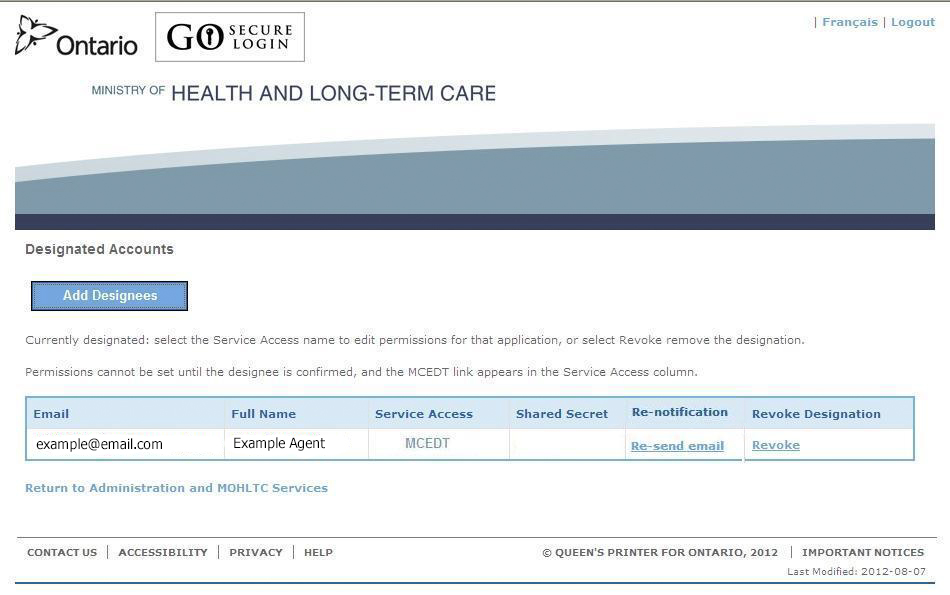
Step 4: Enter Designee Details
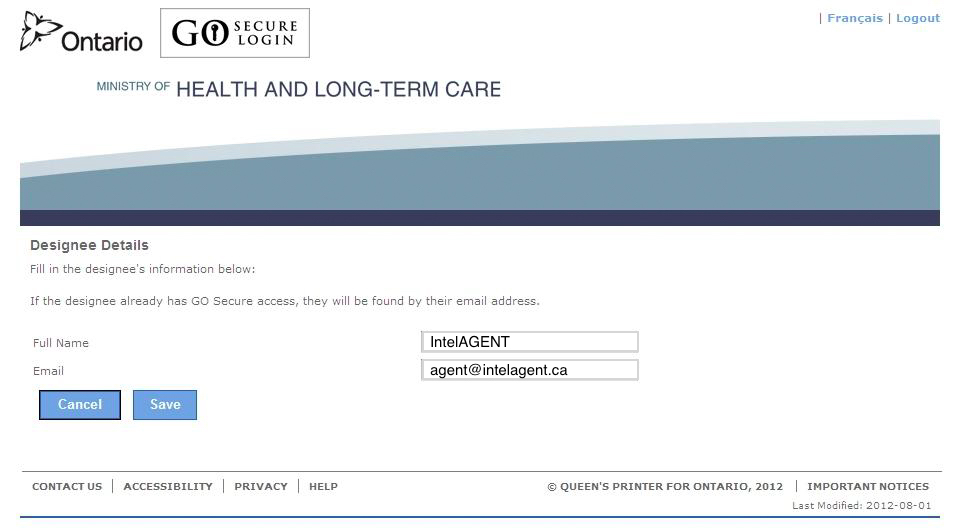
Enter the following information:- Full Name: IntelAGENT
- Email: agent@intelagent.ca
Step 5: Confirm the Designation
Click Confirm this Designation.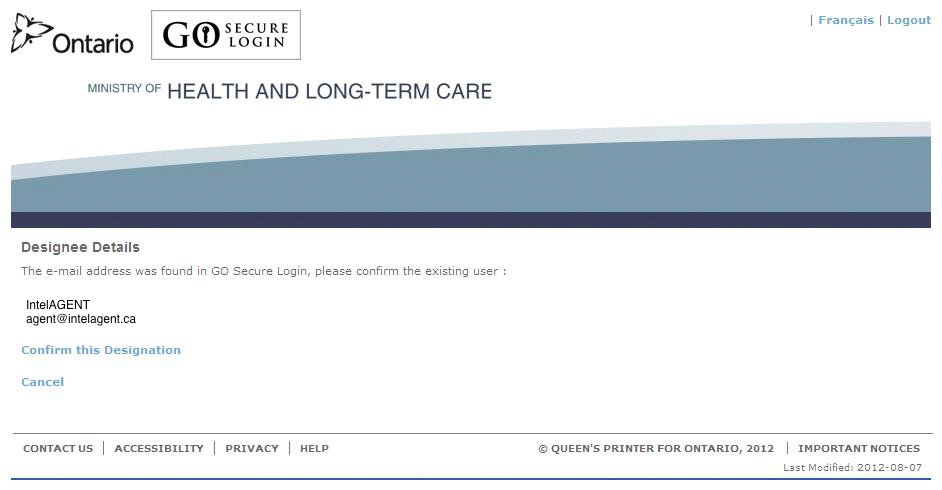
Step 6: Wait for Acceptance
You will receive an email from GO Secure when IntelAGENT has accepted the invitation.Step 7: Grant Permissions
Once you receive the acceptance email:- Click the link in the email to return to GO Secure
- Click the Designee Maintenance link
- Find the row with agent@intelagent.ca and click on the email hyperlink
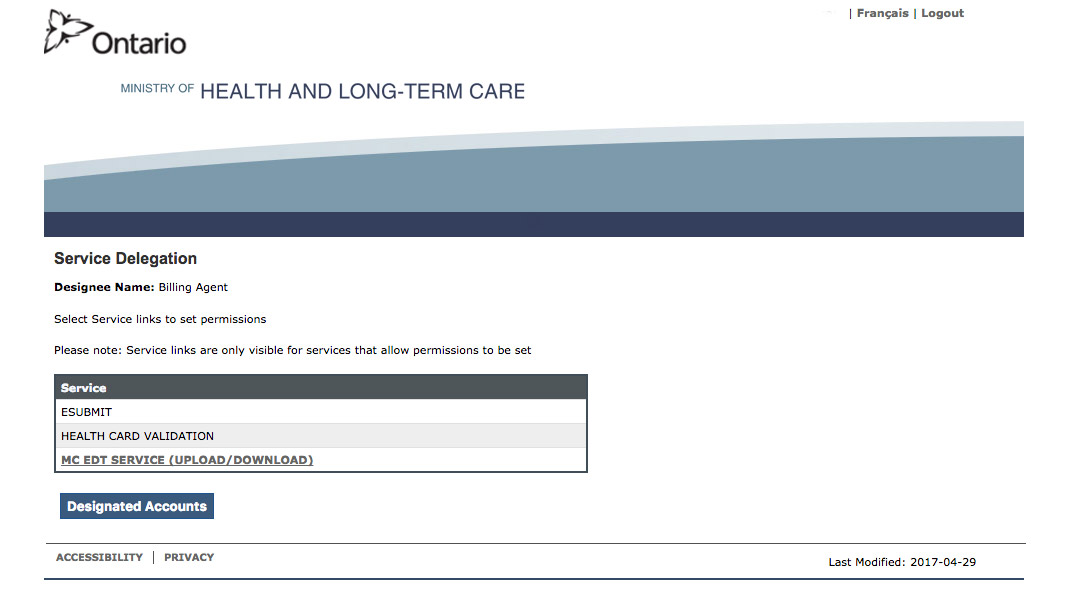
- Select the MC EDT hyperlink
- Click Select All and then Save
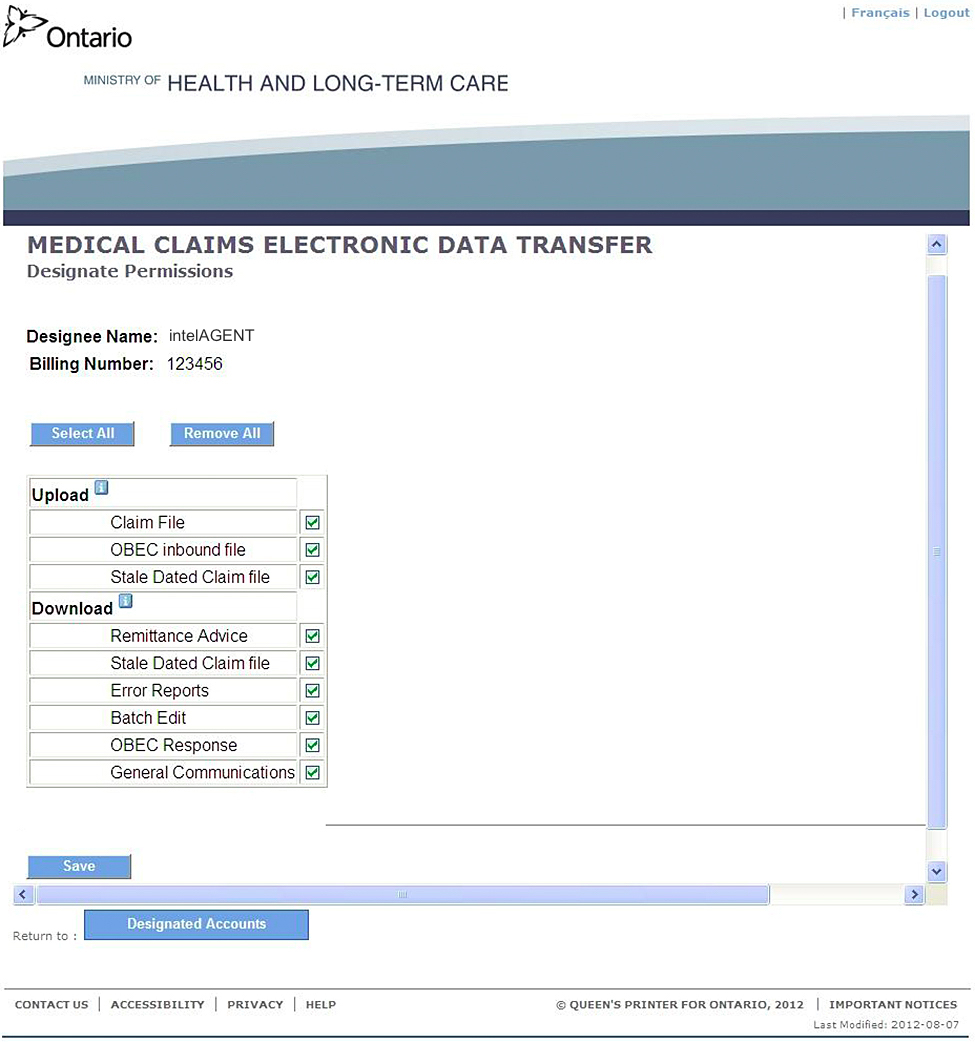
IntelAGENT is now designated as your agent and can submit claims on your behalf.