
Overview
William Osler physicians are reimbursed by EFT to a bank account on file. You can add or update that account yourself — on the web portal or the mobile app — and verify it with a small test deposit.Self-service bank-account updating is available to physicians enrolled in the William Osler Hospital Reimbursement program. If you don’t see these options, contact IntelAGENT support.
How verification works
Whenever you save new banking details, we send a $0.01 test deposit to that account (it can take up to 30 days to appear). Your reimbursements are paused until you see the deposit and turn on Bank account verified. That step has its own page: Verifying Your Test Deposit.Updating your bank account
- Desktop (web portal)
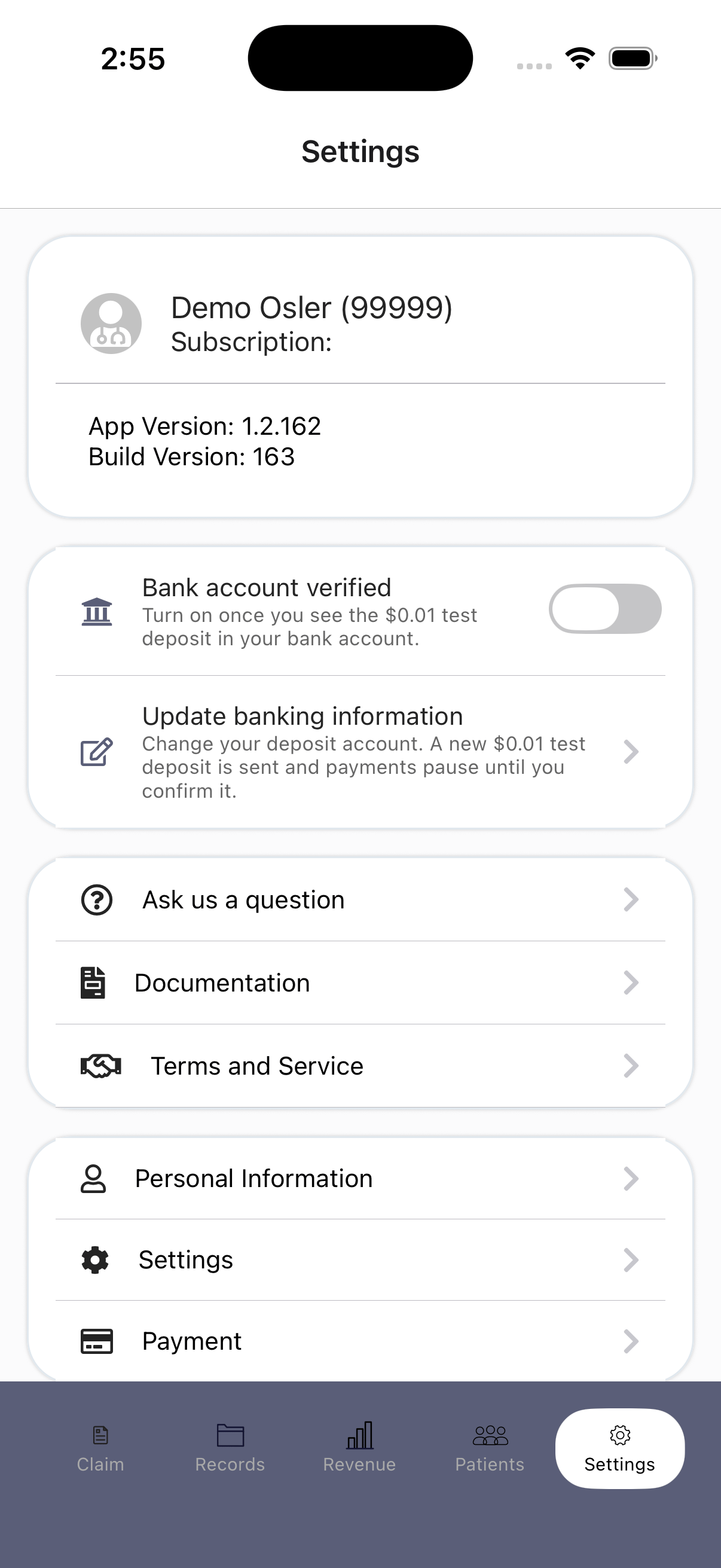
- Mobile app
1
Open the banking settings
Go to Settings. William Osler physicians see a WOHS Bank Account & Reimbursement section.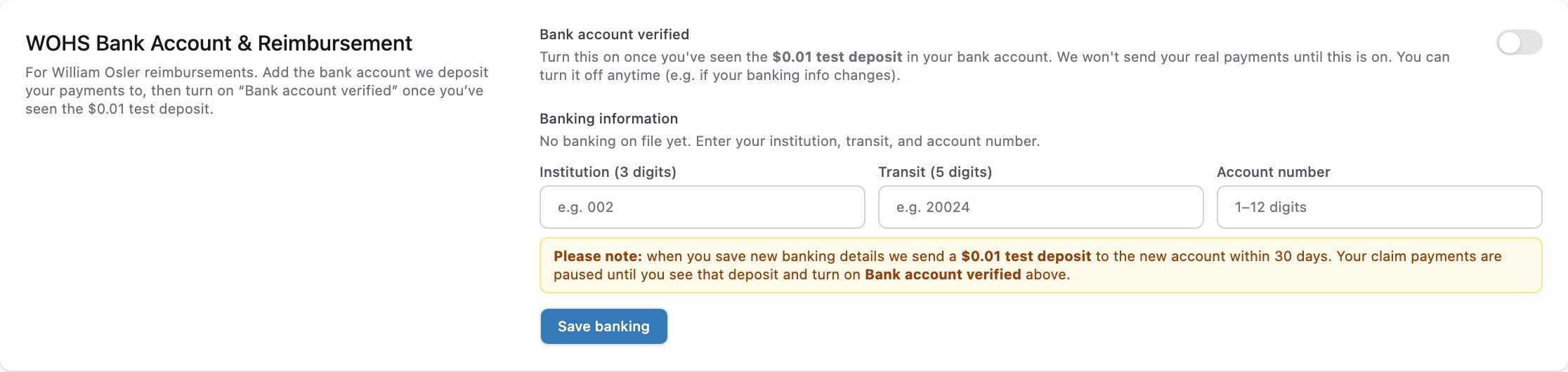
2
Enter your bank details
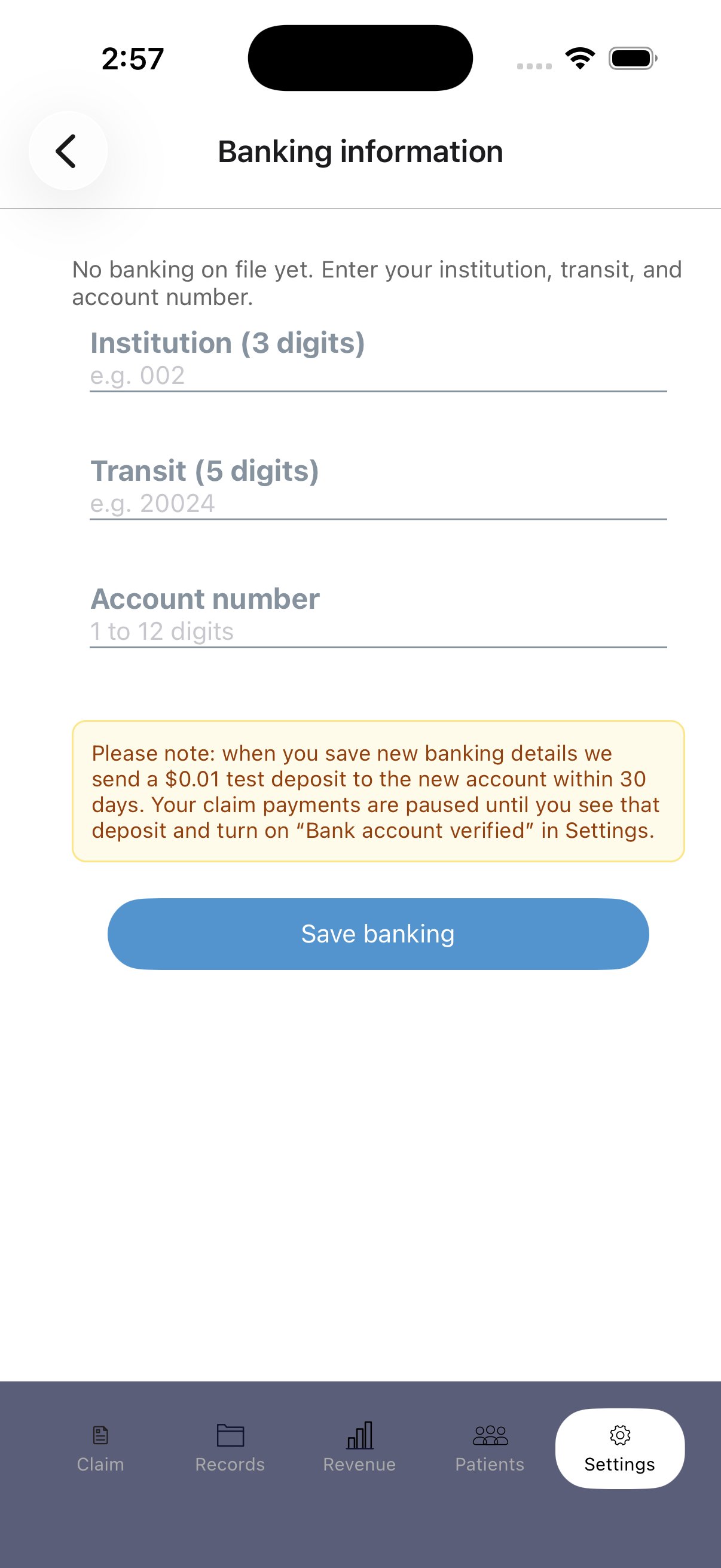
Fill in your Institution (3 digits), Transit (5 digits), and Account number.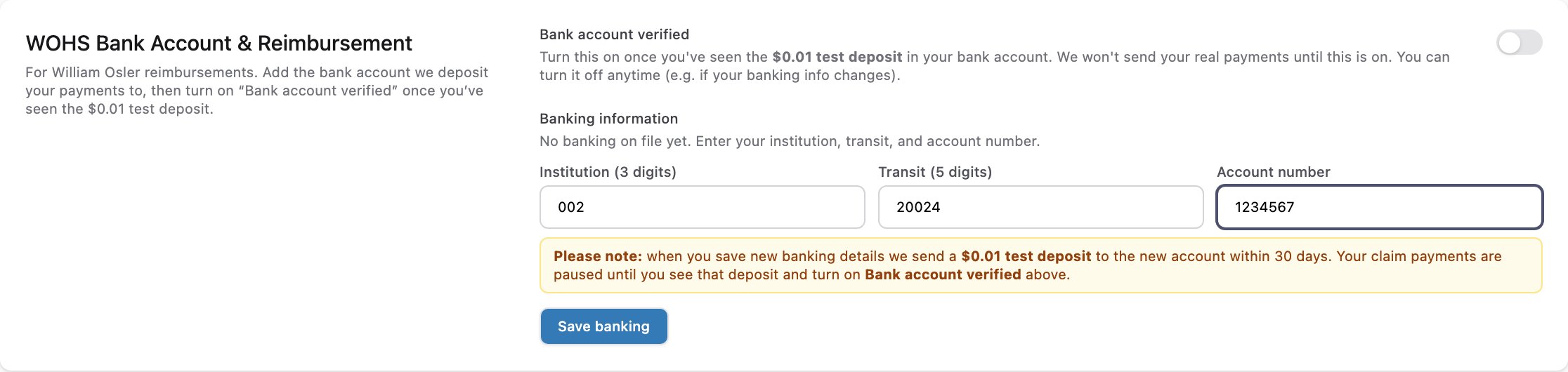
3
Save your banking
Click Save banking. We send a $0.01 test deposit to the new account. Your saved details now show as on file and not yet confirmed.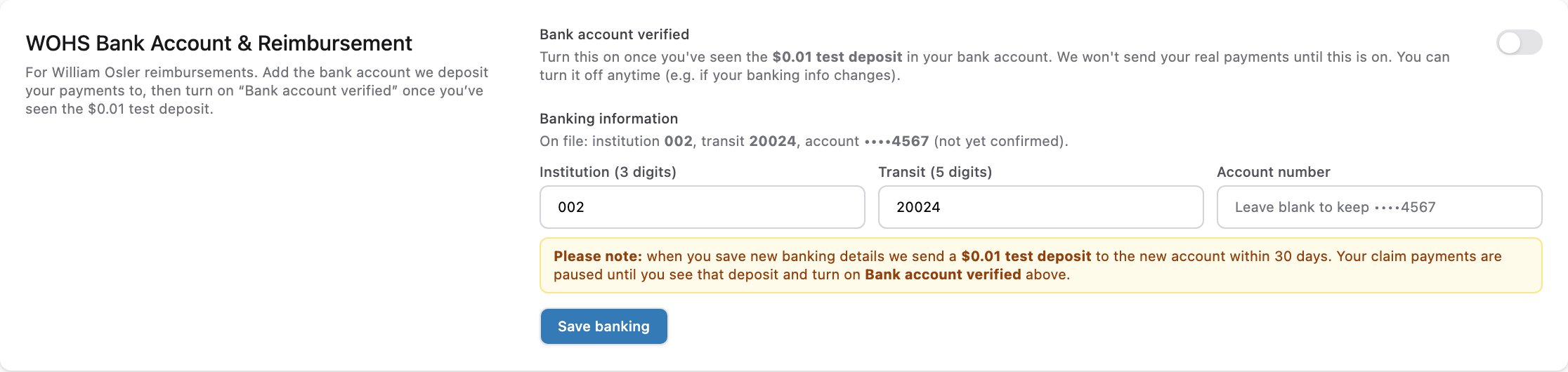
4
Confirm the test deposit
When the $0.01 deposit appears on your statement, turn on Bank account verified to restart your reimbursements — see Verifying Your Test Deposit.
Related
- Verifying Your Test Deposit — confirm the $0.01 deposit and restart your payments.
- Onboarding — the William Osler banking steps are also part of first-time account setup.
- Remittance & Payment — how and when reimbursements are paid.