
Overview
Whenever you add or change your bank account, we send a $0.01 test deposit to it. Your reimbursements stay paused until you see that deposit and turn on Bank account verified. This page covers that one step.Haven’t entered your bank details yet? Start with Updating Your Bank Account, then come back here.
Before you start
- You saved new banking details on the web portal or mobile app, and they show as not yet confirmed.
- The $0.01 deposit can take up to 30 days to appear on your statement. Look for a one-cent credit from IntelAGENT.
Turning on Bank account verified
You only need to do this in one place — the web portal and the mobile app share the same setting.- Desktop (web portal)
- Mobile app
1
Check that your account is still unconfirmed
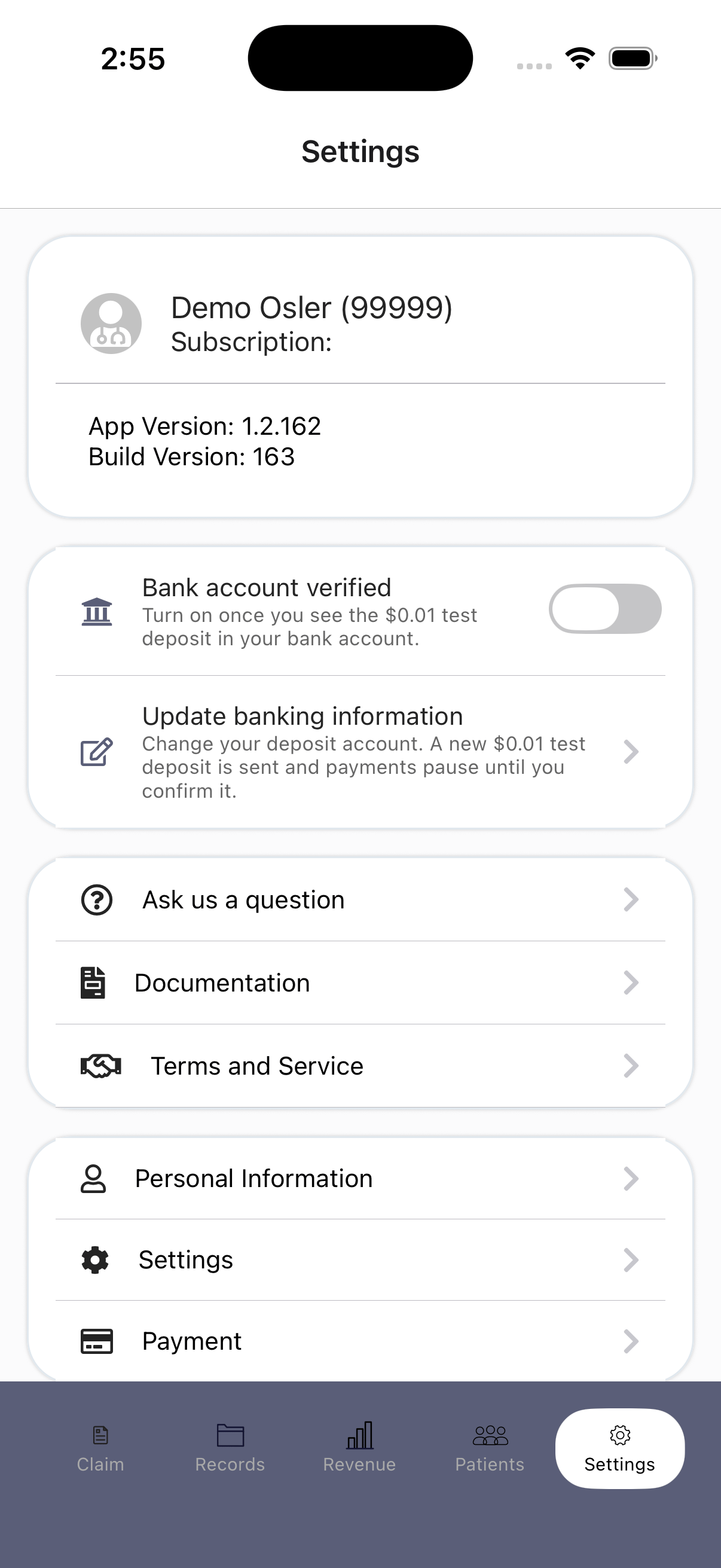
Go to Settings and find WOHS Bank Account & Reimbursement. Under Banking information you’ll see your account listed as (not yet confirmed), with the Bank account verified toggle off.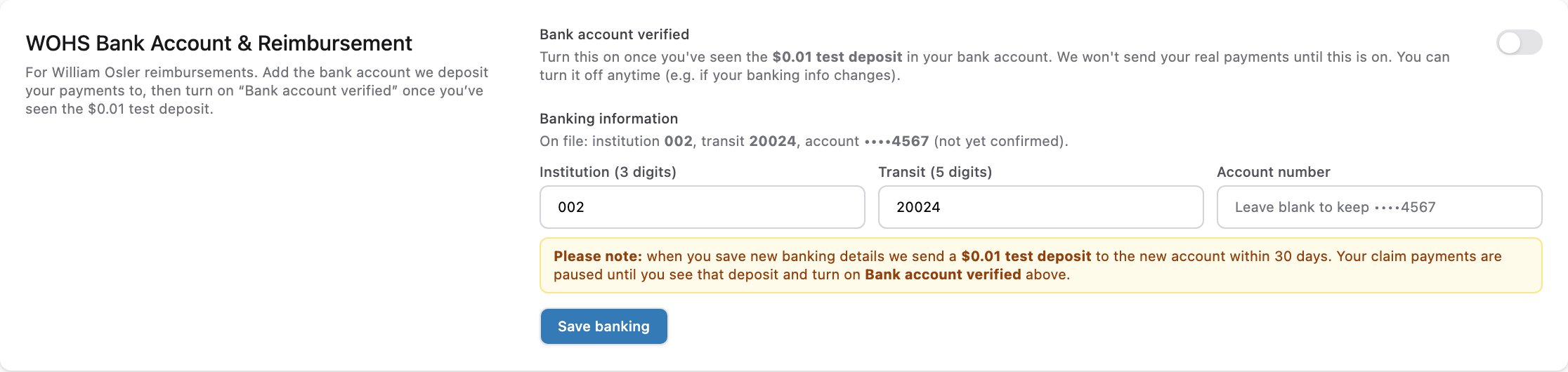
2
Turn on Bank account verified
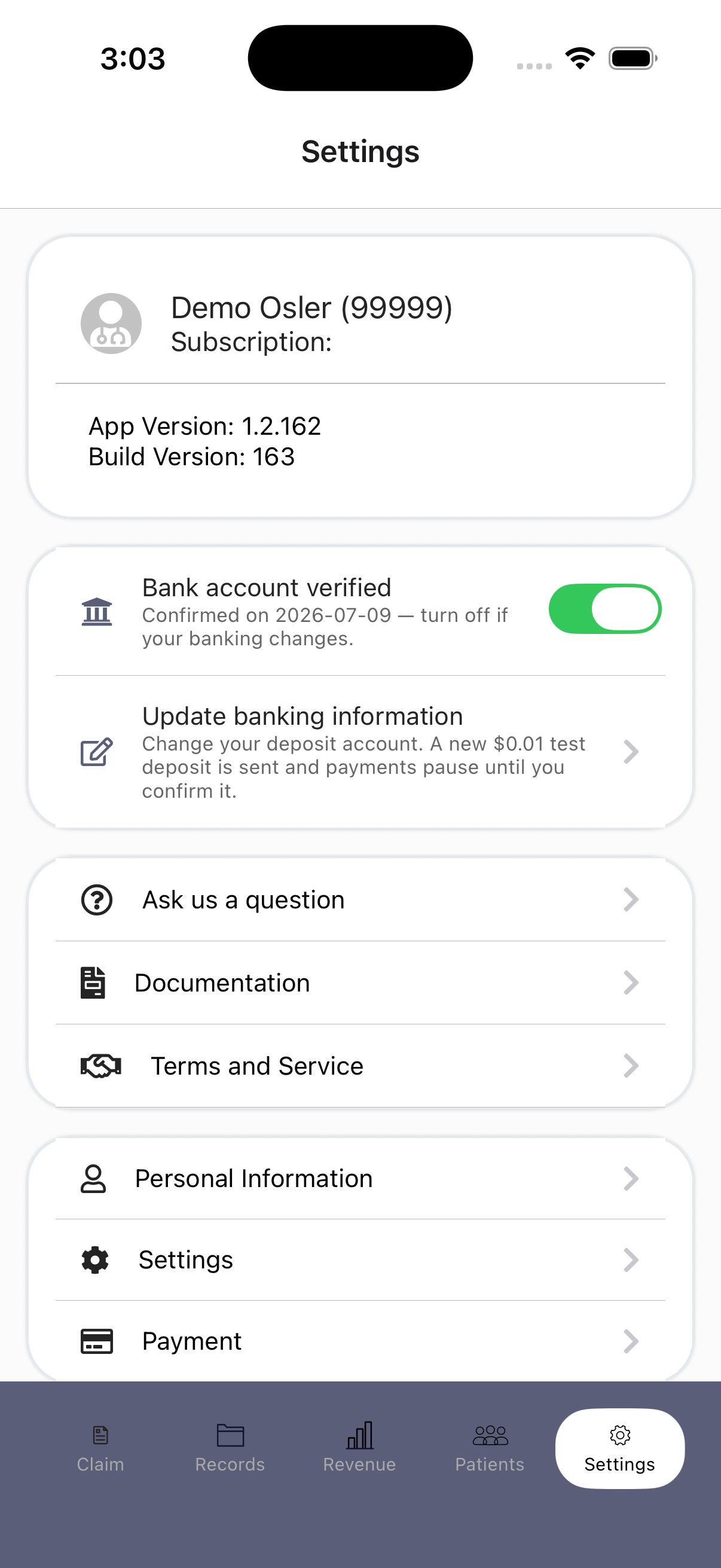
Once the $0.01 deposit appears on your statement, click the Bank account verified toggle. Your account now reads (confirmed) and your reimbursements are active.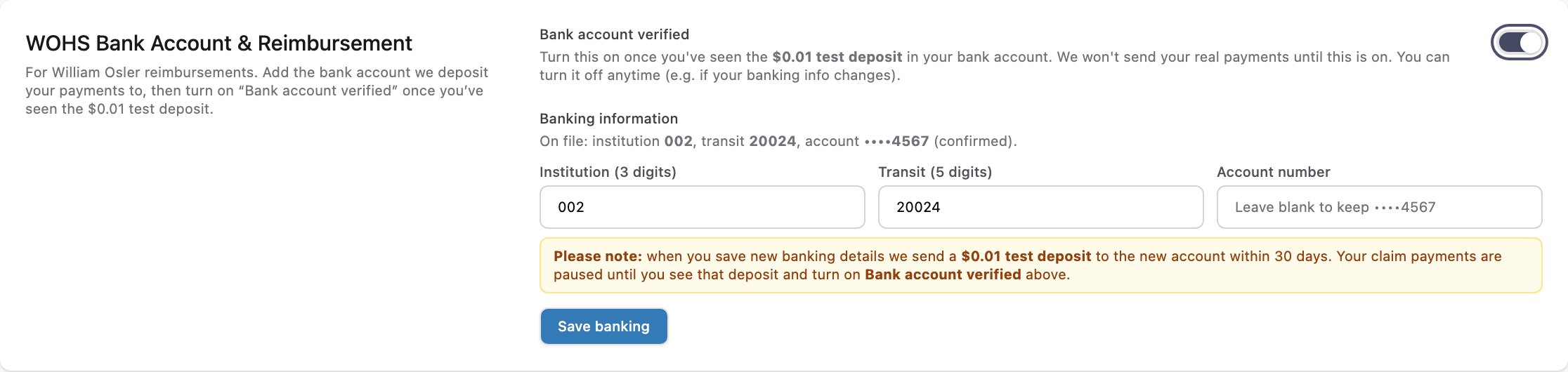
Turning verification off
You can turn Bank account verified off at any time — for example, if you’re about to close the account or your banking details are changing. While it’s off, we hold your payments instead of sending them to an account you’re no longer sure about. If you change your bank account, verification resets on its own: we send a new $0.01 test deposit and you confirm it the same way.If the deposit never arrives
It's been less than 30 days
It's been less than 30 days
Keep waiting — the deposit can take up to 30 days. Leave Bank account verified off until you see it. Your claims keep going through in the meantime; only the payout is held.
It's been more than 30 days
It's been more than 30 days
Check your Settings first and confirm the institution, transit, and account numbers on file are correct. If a digit is wrong, re-enter your details — saving sends a fresh test deposit. If everything looks right, contact IntelAGENT support.
I turned the toggle on by mistake
I turned the toggle on by mistake
Turn it back off. Nothing else is needed — payments pause again right away.
Related
- Updating Your Bank Account — enter or change your banking details.
- Remittance & Payment — how and when reimbursements are paid.
- Technical Support — how to reach us.