
Overview
William Osler physicians are reimbursed by EFT for services provided to uninsured patients. Setting up is self-service — create your account, choose the William Osler reimbursement program, and add the bank account your reimbursements are deposited to. No subscription, credit card, or MC EDT designation is required. IntelAGENT guides you through it in the onboarding wizard, which opens right after you sign up. You can return to it any time from the user menu → User Onboarding.Download the setup guide (PDF)
A printable, shareable walkthrough of everything on this page plus updating your banking on desktop and mobile.
Create your account
Sign up at app.intelagent.ca/register. Enter your name, email, and a password (at least 8 characters), then click Continue — you’ll go straight into the onboarding wizard.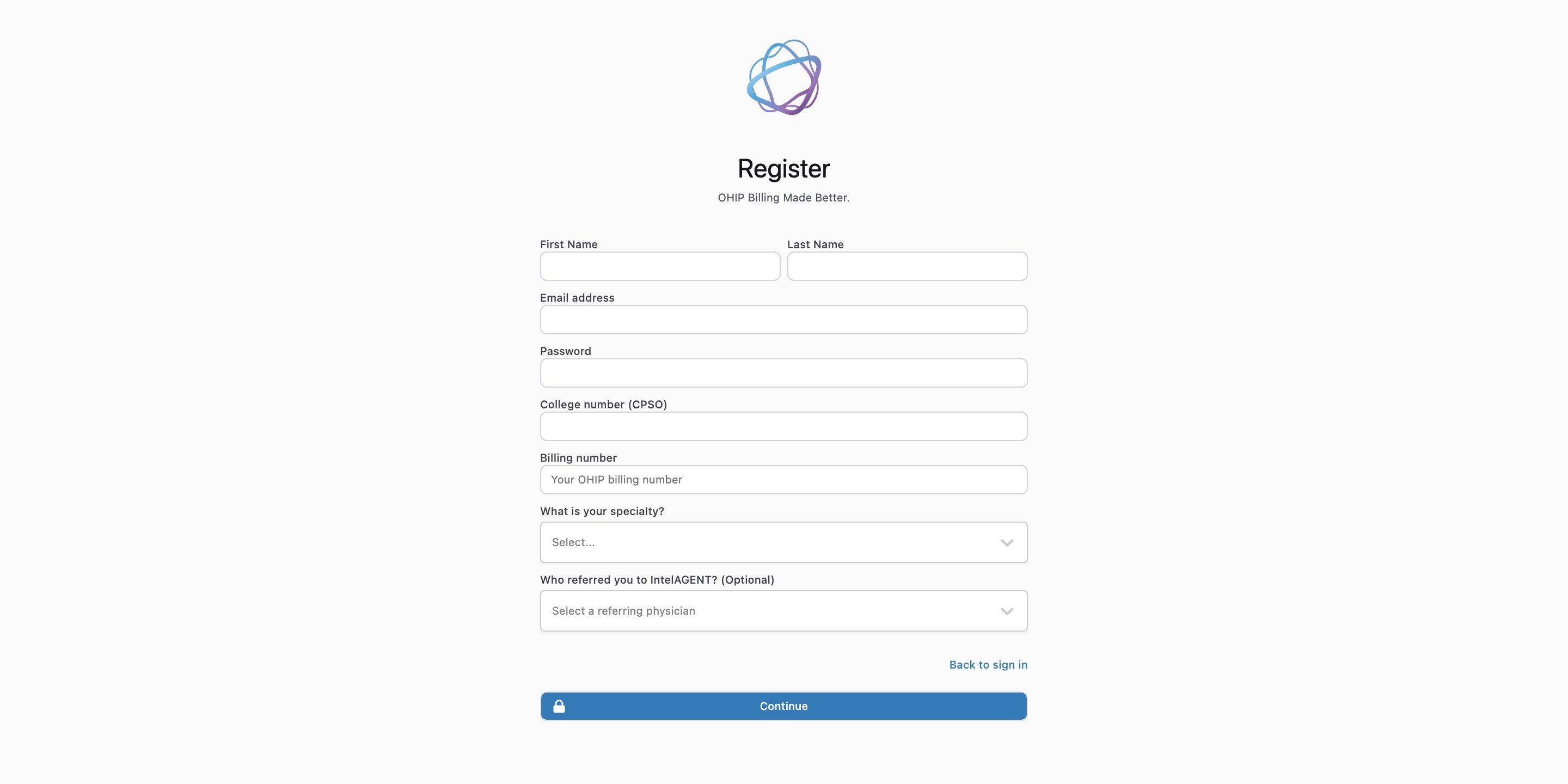
Register with your
@williamoslerhs.ca email address — that’s what unlocks the William Osler reimbursement option in the next step. If you sign up with a different email, that option is disabled; contact the Medical Affairs office to be set up.Step 1 — Choose William Osler reimbursement
On Choose your billing program(s), select William Osler reimbursement, then click Confirm & continue.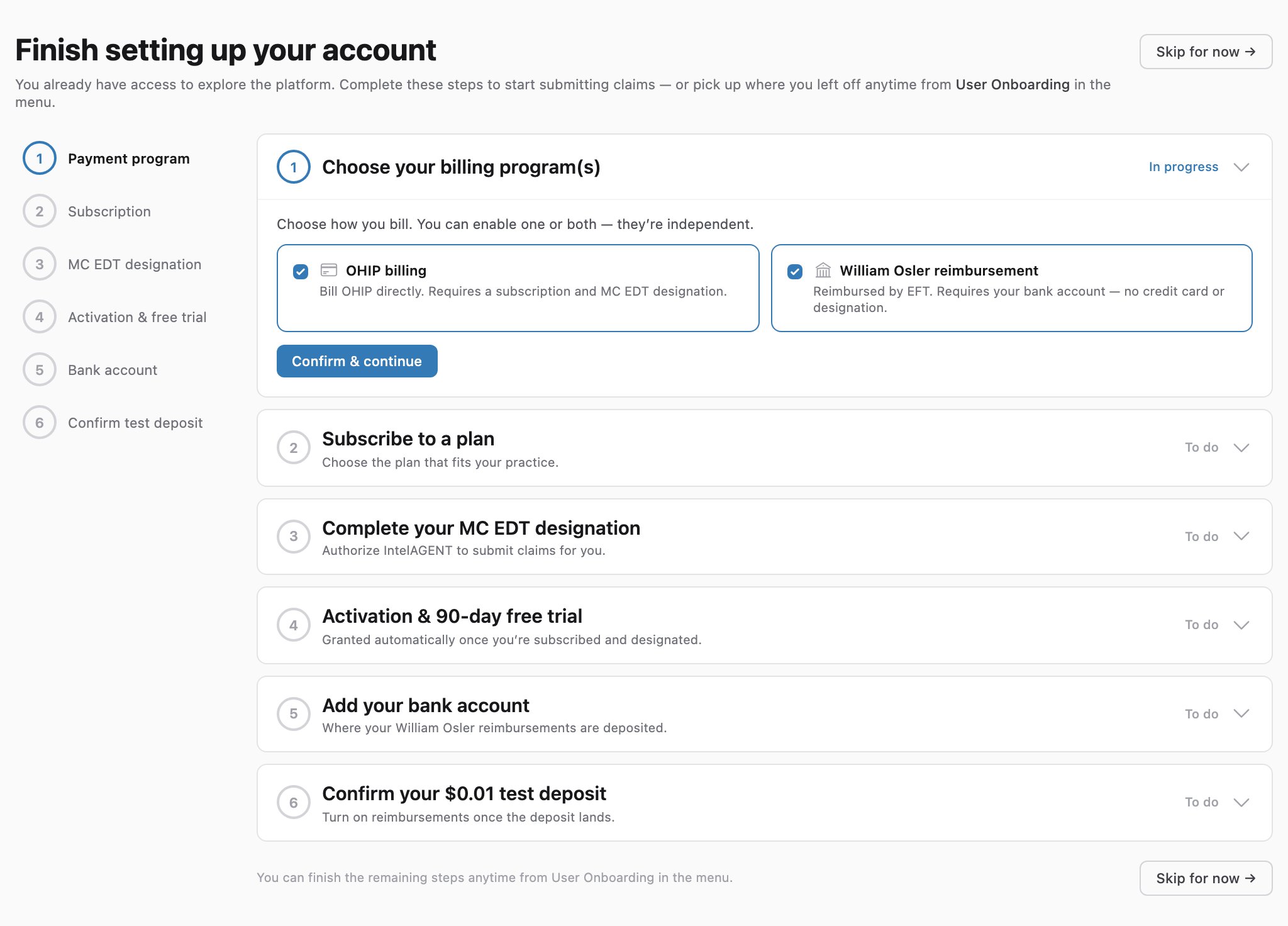
The two billing programs are independent — if you also bill OHIP directly, you can enable OHIP billing here too and complete the OHIP Onboarding steps.
Step 2 — Add your bank account
Enter your institution (3 digits), transit (5 digits), and account number. When you save, we send a $0.01 test deposit to the account (it can take up to 30 days to appear).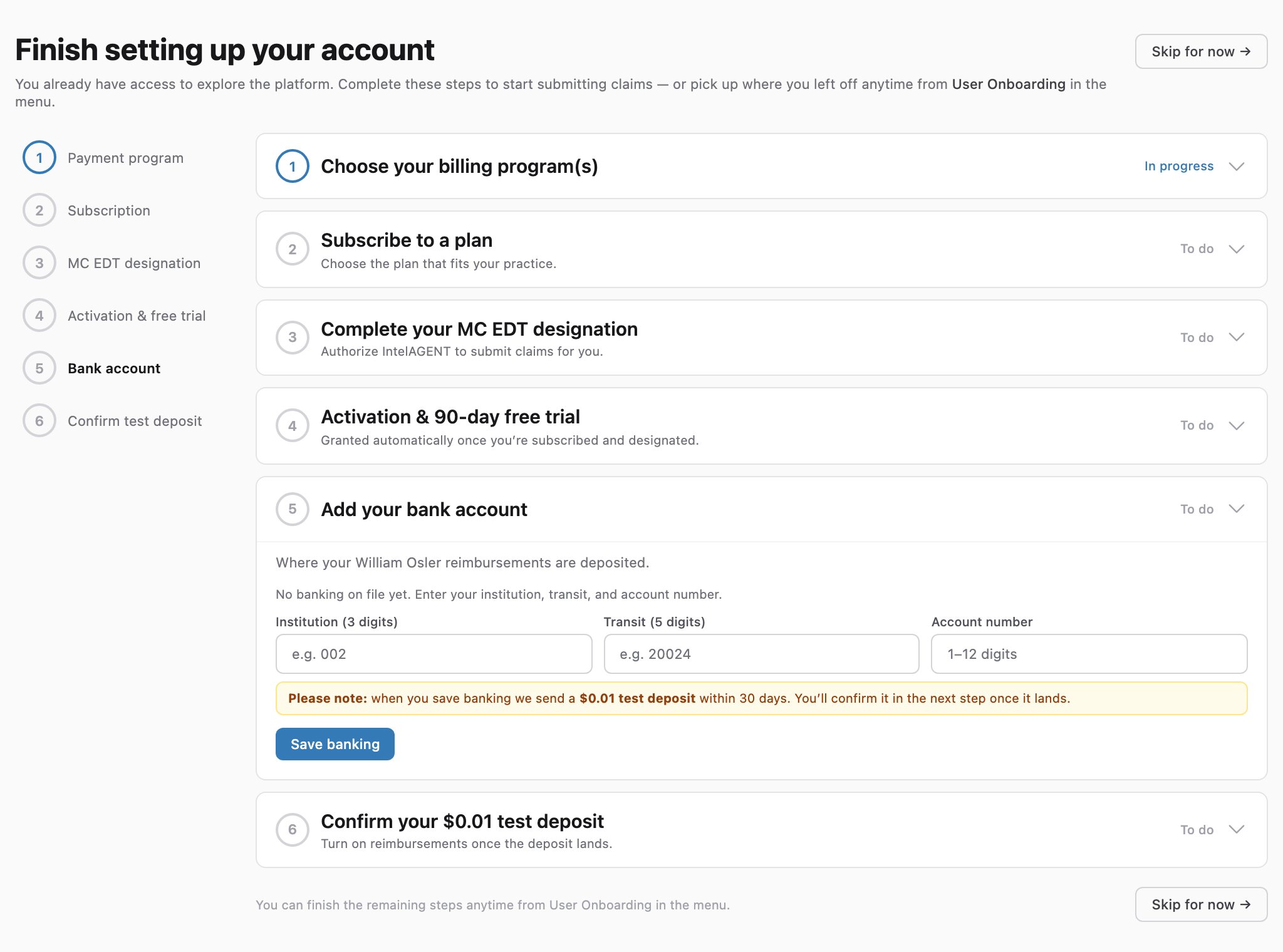
Step 3 — Confirm your $0.01 test deposit
Once the test deposit appears on your statement, turn on Bank account verified. We don’t send real reimbursements until this is on — and you can turn it off any time, for example if your banking details change.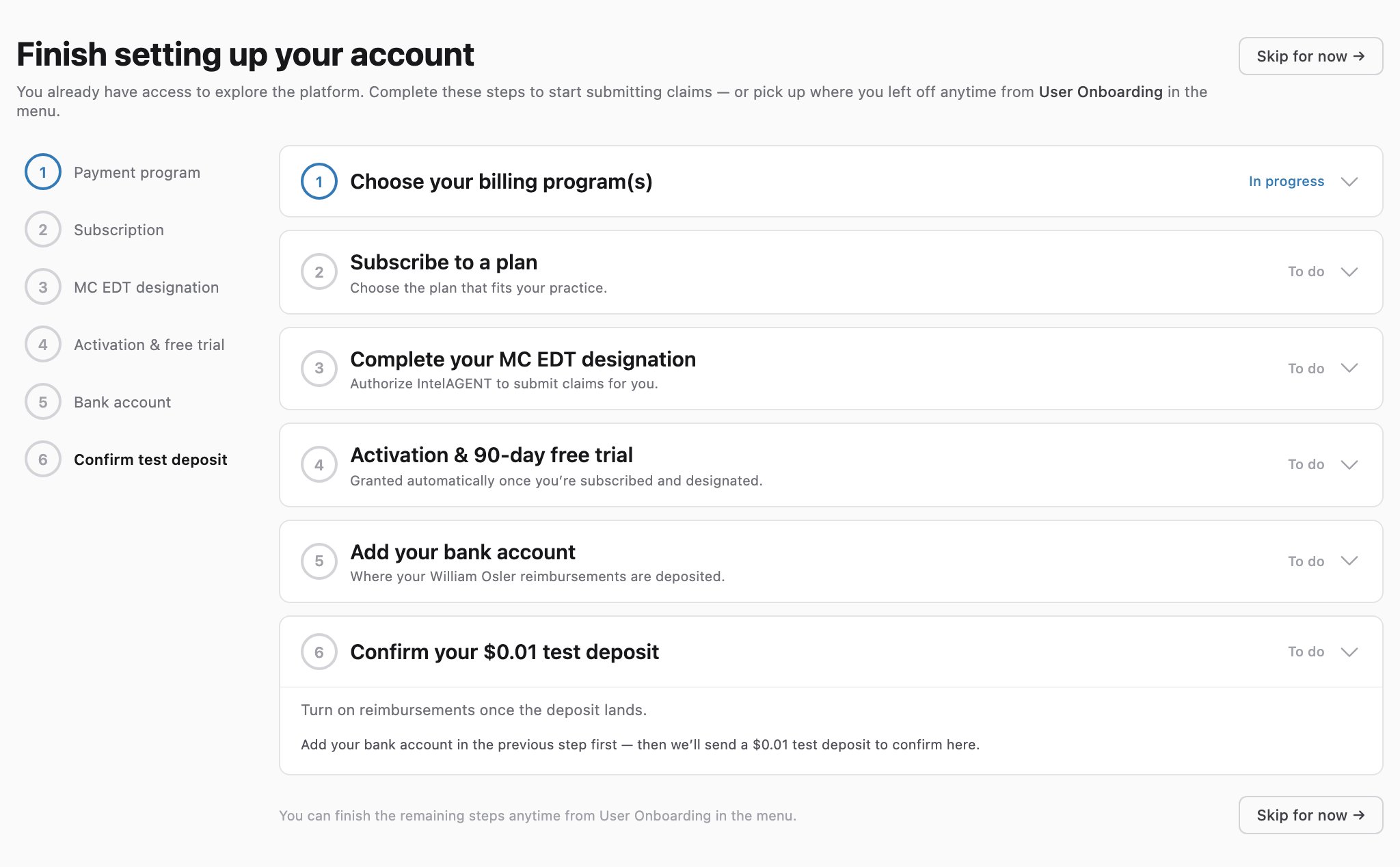
Tracking your progress
The left-hand step list shows the status of every step — completed steps are marked, and the current step is highlighted. When everything is done, the User Onboarding reminder in the user menu clears.Updating your banking later
You can change your bank account and toggle verification any time from Settings, on the web portal or the mobile app — see Updating Your Bank Account and Verifying Your Test Deposit.Related
- Updating Your Bank Account — add or update your banking on desktop and mobile.
- Verifying Your Test Deposit — confirm the $0.01 deposit from Settings later on.
- Remittance & Payment — how and when reimbursements are paid.
- OHIP Onboarding — if you also bill OHIP directly.