You need a WSIB provider number or a Medavie Blue Cross provider number before
these claims can be paid. See Federal programs and WSIB
to register.
Which program to choose
WSIB claims
- Web app
- Mobile app
1
Open a new claim
Click New Claim, top right of any screen.
2
Choose Workplace Safety (No OHIP)
In Payment program, choose Workplace Safety (No OHIP).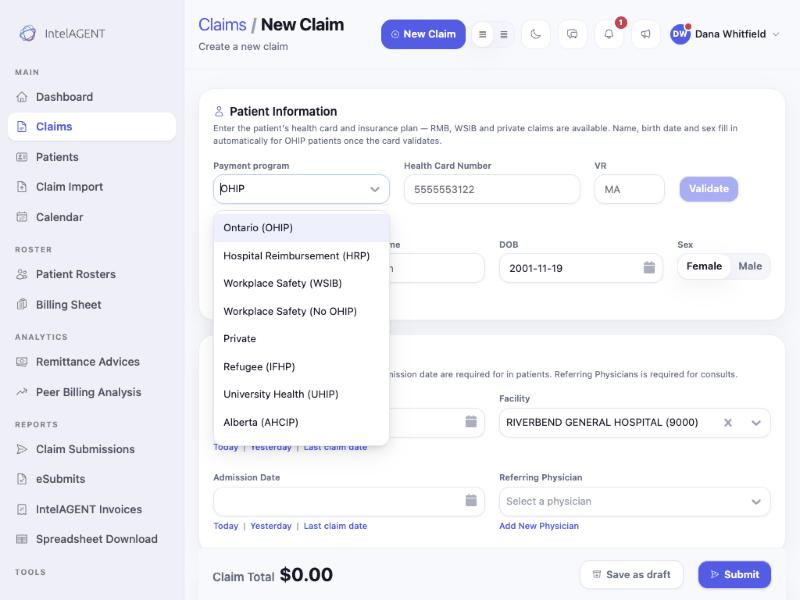
3
Enter the WSIB claim number, if you have it
WSIB Claim Number is optional. If it isn’t on the patient’s forms, leave
it blank.
4
Enter the patient's details and address
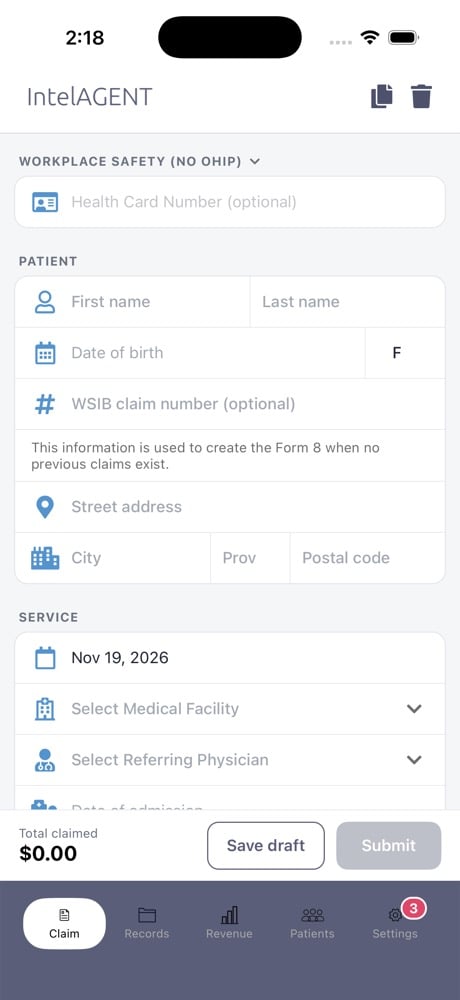
Enter first name, last name, date of birth and sex, then the patient’s
street address, city, province and postal code. When there’s no claim
number yet, this is used to create the Form 8.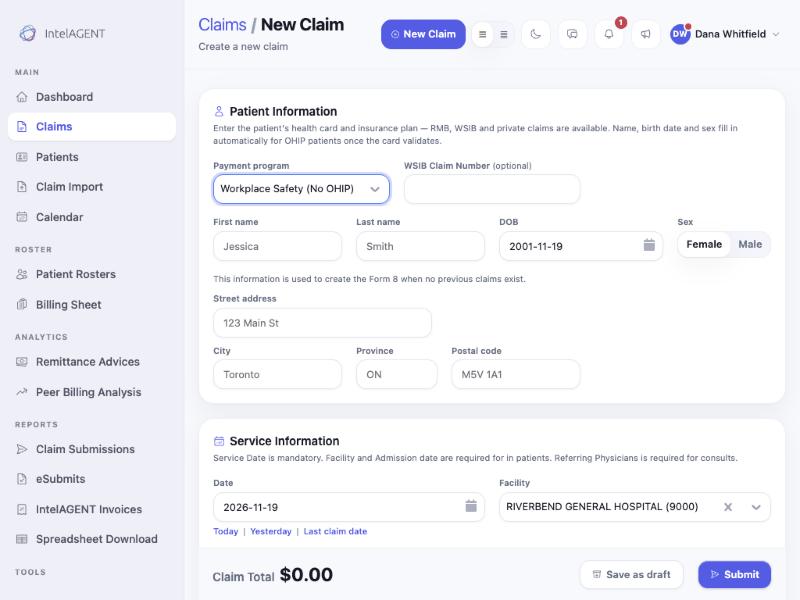
5
Add the service and submit
Add the date of service, facility, diagnostic code and billing codes as
usual, then click Submit.
Print the WSIB form
If you’d rather send a claim to WSIB through TELUS Health yourself, you can print it as a WSIB provider payment request (form 3947A). This is available in the web app.1
Open the claim
Open the claim from your Claims list.
2
Click Forms
Click Forms, top right of the claim. The patient, the service lines and
your billing details are filled in from the claim.
3
Download and finish the form
Click Preview to check it, or Download form to save the PDF. Print
it, complete the sections listed under Still to complete by hand, and
send it to WSIB.
Blue Cross (IFHP) claims
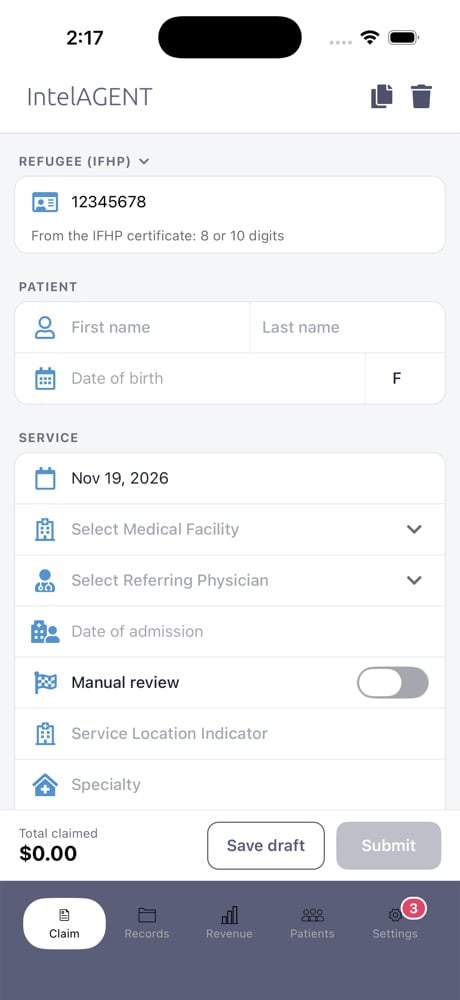
IFHP patients don’t have an OHIP card. Medavie Blue Cross identifies them by the IFHP client ID (UCI) printed on their IFHP certificate. It’s 8 or 10 digits. You can type it with or without the dashes.- Web app
- Mobile app
1
Open a new claim
Click New Claim, top right of any screen.
2
Choose Refugee (IFHP)
In Payment program, choose Refugee (IFHP). The health card field
changes to IFHP client ID (UCI).
3
Enter the UCI and the patient's details
Enter the UCI from the IFHP certificate, then first name, last name, date
of birth and sex.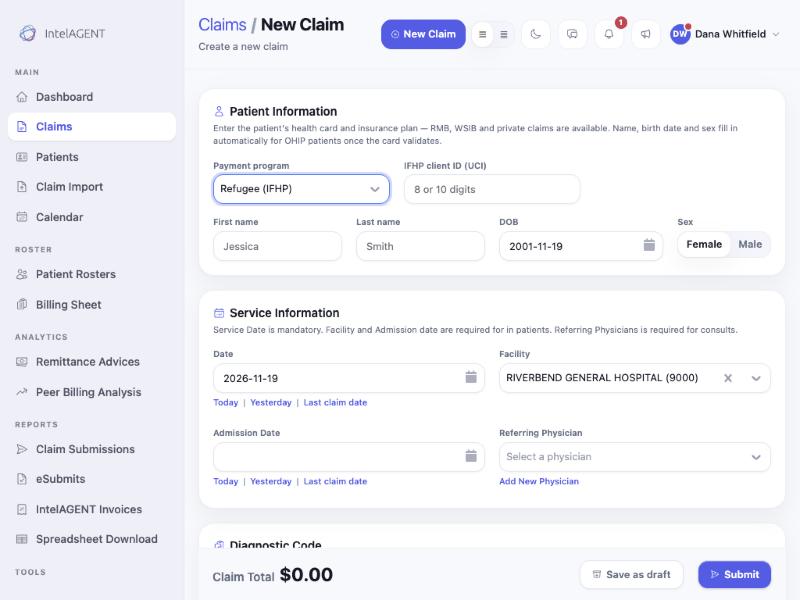
4
Add the service and submit
Add the date of service, facility, diagnostic code and billing codes as
usual, then click Submit.