
Overview
Roster sharing lets you hand a patient list to a colleague with a short share code. Sharing makes a copy — the person who redeems the code gets their own independent roster they can edit, and your roster isn’t affected. Codes can be reused, never expire, and can be revoked at any time.Only the patient list (names and health numbers) is shared. Your roster’s billing codes are not included in a share.
- One roster — generate a code that copies a single roster into whoever redeems it.
- All your rosters — grant a colleague standing access to browse and pull any of your rosters, now and in the future.
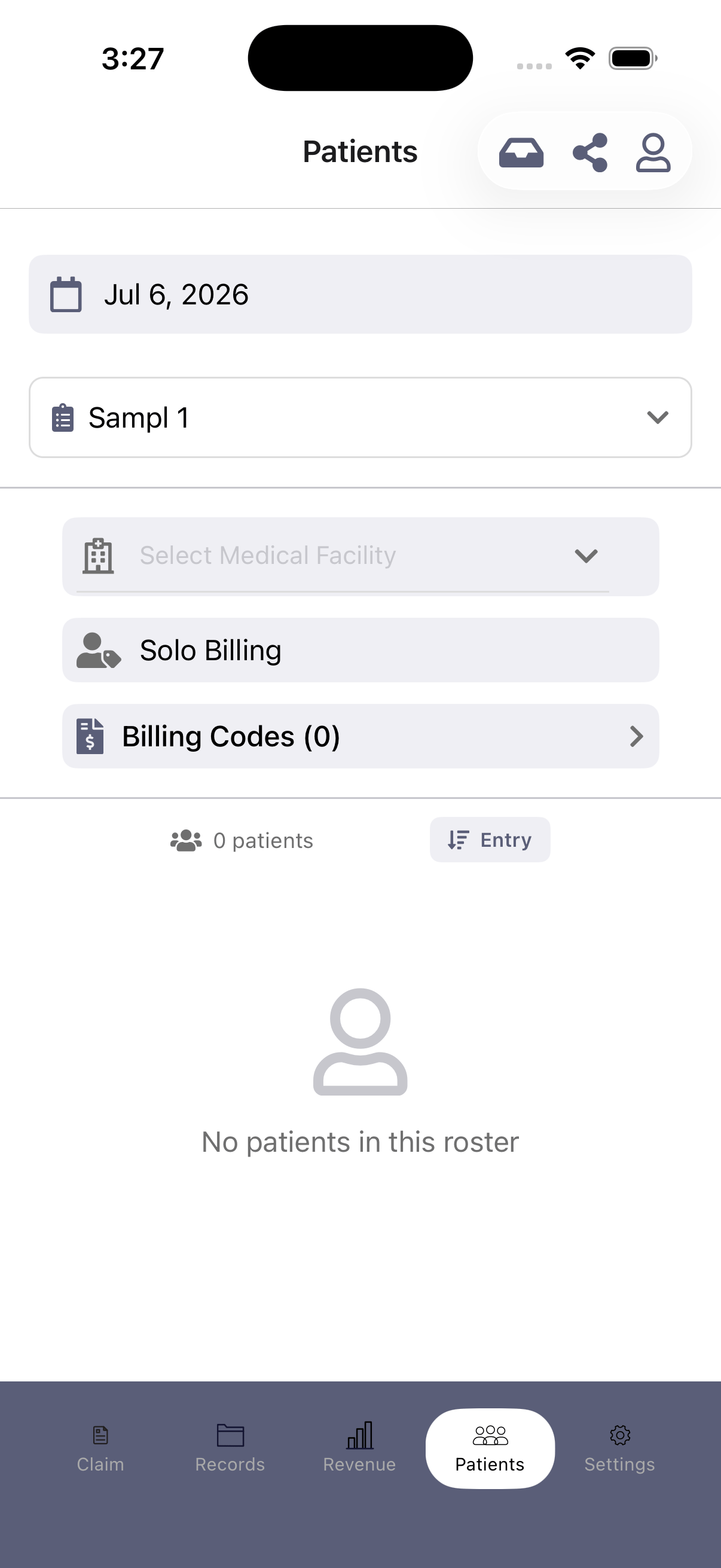
- Share (the share icon) — create a share code.
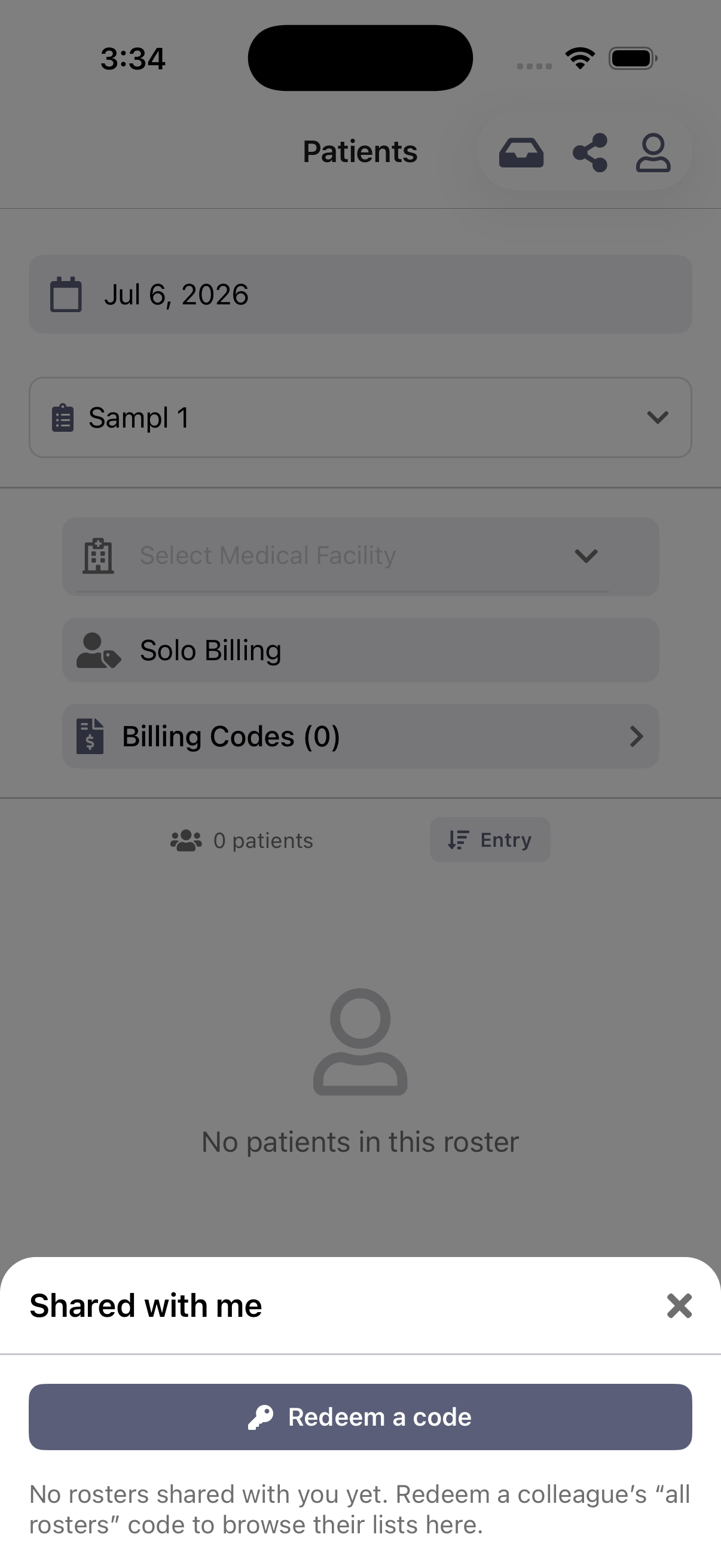
- Shared with me (the inbox icon) — redeem a code or view rosters shared with you.
Sharing one roster
1
Open the share sheet
Select the roster you want to share, then tap the Share icon in the header.
2
Generate a code
Tap Generate share code. Anyone with the code can copy that patient list into their own account as an editable copy — your roster stays untouched.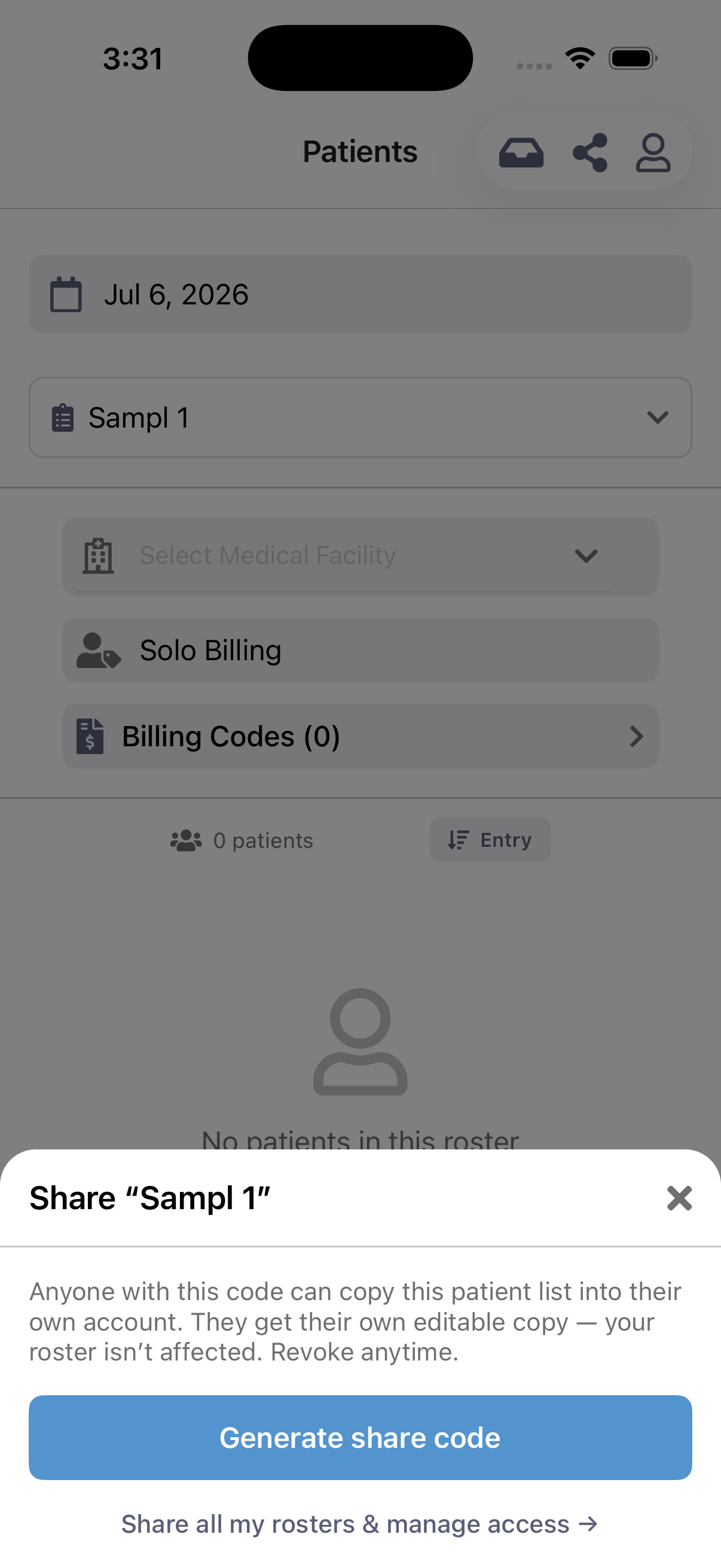
3
Send the code
Share the generated code with your colleague however you like.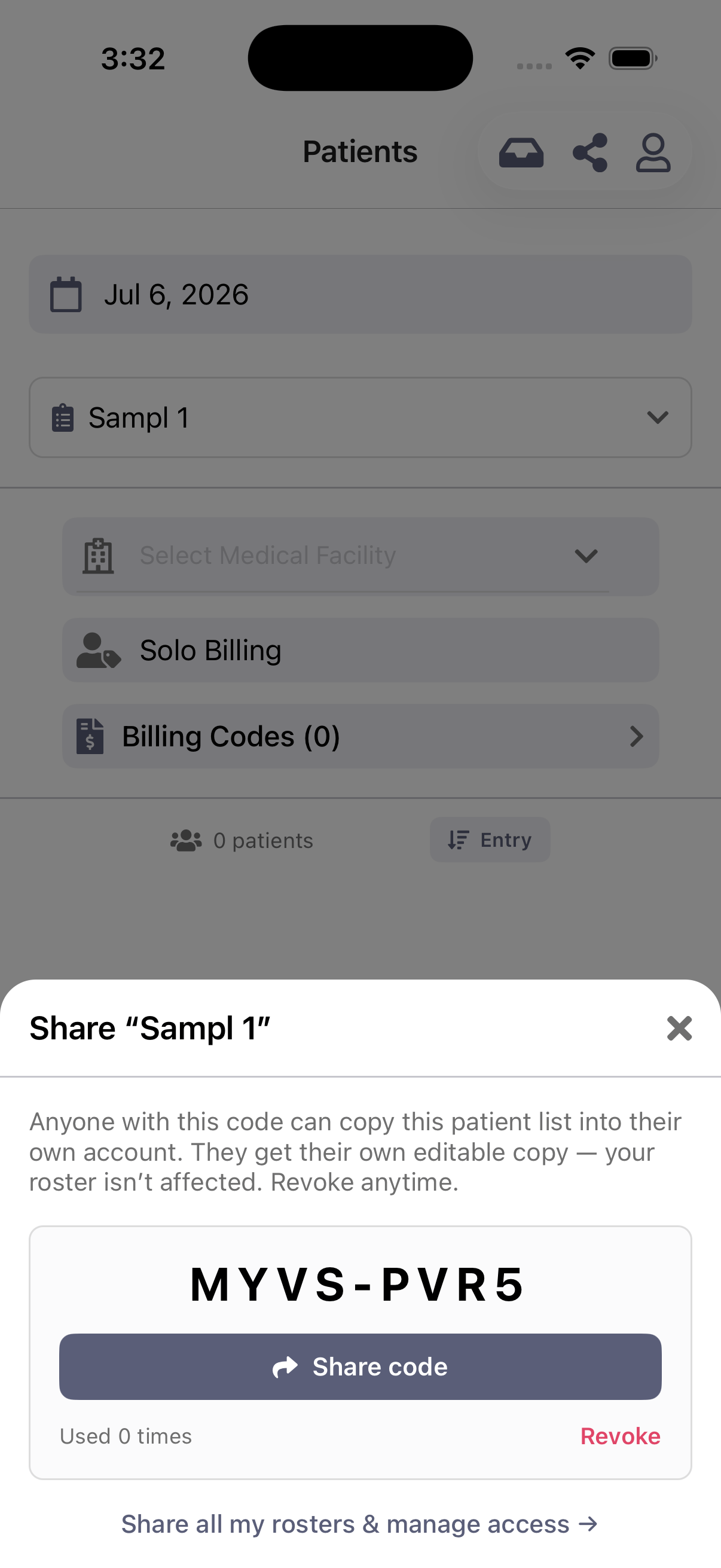
Sharing all your rosters
From the share sheet, tap Share all my rosters & manage access. This creates a code that grants the recipient standing access to browse and pull all of your rosters — including ones you create later. Revoking this code removes that access for everyone who redeemed it.Receiving a shared roster
1
Open Shared with me
Tap the inbox icon in the Patients header, then choose to add a shared roster.
2
Enter the code
Type the code your colleague sent you and tap Redeem. You get your own editable copy of their patient list.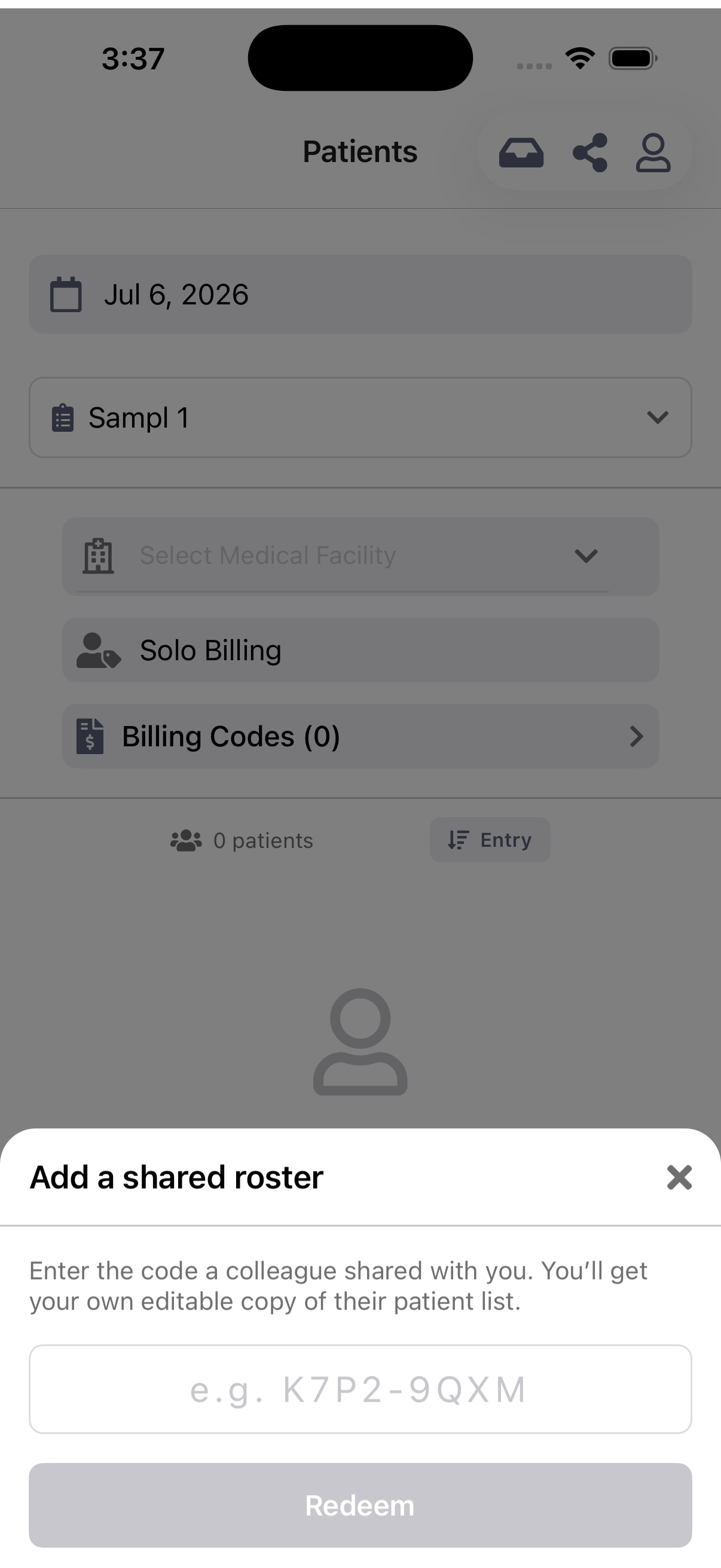
Managing and revoking access
Open the sharing management screen to see the codes you’ve created and who holds access, and to revoke any of them: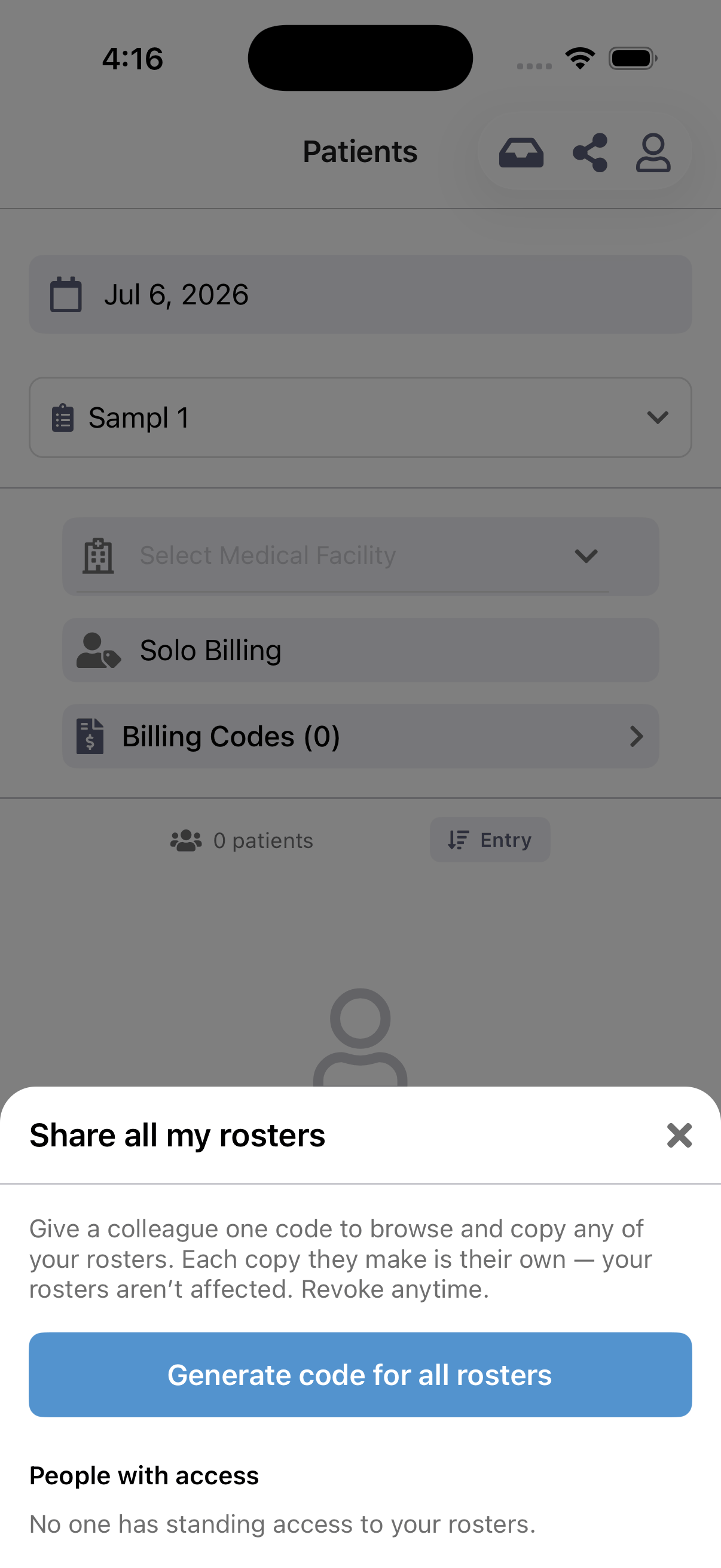
- Revoking a single-roster code stops it from being redeemed again. Copies already made are unaffected — they’re the other person’s own rosters now.
- Revoking an “all rosters” code removes standing access for everyone who redeemed it.
Sharing works the same way in the web app (Patient List → Share / Add shared), and share codes are interchangeable between web and mobile.
Notes
- Redeeming a code gives you a snapshot copy at that moment. Later changes to the original roster don’t sync to your copy (and vice-versa).
- You can’t redeem your own code.
- Health numbers and patient details are handled the same secure way as everywhere else in the app.